Introduction
ChatGPT is the most powerful AI tool available today — and the best part is that you can use it completely for free. Whether you are a student who needs help with essays, a teacher creating lesson plans, or a professional looking to save time, ChatGPT’s free plan gives you access to genuinely impressive AI capabilities.
In this complete step-by-step guide, we cover everything you need to know about using ChatGPT for free — from creating your account to writing perfect prompts, real use cases, and how to get the most out of the free plan without ever paying.
What Do You Get with ChatGPT Free Plan?
Many people do not realize how powerful ChatGPT’s free plan actually is. Here is exactly what you get at zero cost:
- GPT-4o access — limited daily usage of OpenAI’s most advanced model
- Unlimited GPT-4o mini — fast, capable AI for everyday tasks
- Image generation — create AI images using DALL-E (limited)
- File uploads — upload PDFs and documents for ChatGPT to analyze
- Web browsing — ChatGPT can search the internet for current information
- Memory feature — ChatGPT remembers your preferences across conversations
- Mobile app — available free on iOS and Android
- Voice mode — talk to ChatGPT using your voice
ChatGPT Free vs Plus: What Is the Difference?
| Feature | Free Plan | Plus ($20/month) |
| GPT-4o | Limited daily use | Unlimited |
| GPT-4o mini | Unlimited | Unlimited |
| Image Generation | Limited | More images/day |
| File Uploads | Yes | Yes — more files |
| Web Browsing | Yes | Yes |
| Voice Mode | Yes | Advanced voice |
| Speed | Slower at peak times | Priority access |
| Cost | $0 — Free forever | $20/month |
Bottom line: The free plan is more than enough for students, teachers, and most everyday users. Upgrade to Plus only if you need unlimited GPT-4o or faster response times.
How to Use ChatGPT for Free: Step-by-Step Guide
Step 1: Go to ChatGPT Website
Open your browser and go to:
chat.openai.com — Official ChatGPT Website
You can use any browser — Chrome, Firefox, Safari, or Edge. ChatGPT works on computers, tablets, and smartphones.
Step 2: Create Your Free Account
- Click the ‘Sign Up’ button on the homepage
- Enter your email address — use any valid email
- Create a strong password
- Check your email inbox for a verification email from OpenAI
- Click the verification link in the email
- Complete your profile — enter your name and date of birth
Pro Tip: You can also sign up instantly using your Google or Microsoft account — no password needed.
Common Mistake: Check your spam folder if you do not receive the verification email within 2 minutes.
Step 3: Log In and Start Chatting
- Go to chat.openai.com and click ‘Log In’
- Enter your email and password
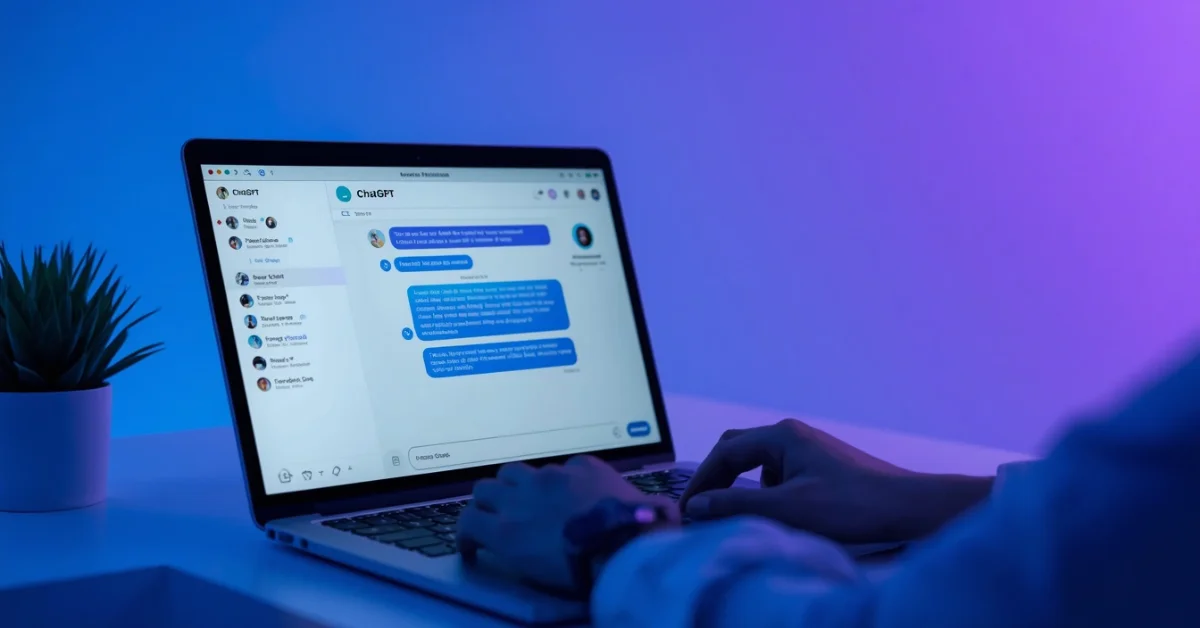
- You will see the ChatGPT chat interface
- Type your message in the box at the bottom
- Press Enter or click the Send button
- ChatGPT will respond within seconds
That is it — you are now using ChatGPT for free! The interface is simple: type your question or request and ChatGPT responds.
Step 4: Download the Free Mobile App
ChatGPT also has a completely free mobile app for iOS and Android:
- iOS: Search ‘ChatGPT’ in the App Store — download the official OpenAI app
- Android: Search ‘ChatGPT’ in the Google Play Store — download the official app
- Log in with your existing account
- You get the same free features as the web version plus voice mode
Warning: There are many fake ChatGPT apps on app stores. Only download the official app made by ‘OpenAI’ — check the developer name before downloading.
Step 5: Learn to Write Better Prompts
The quality of ChatGPT’s response depends entirely on how well you write your prompt. Here is the key rule: be specific.
Bad prompt vs Good prompt examples:
- Bad: ‘Write an essay’
- Good: ‘Write a 500-word essay about climate change for a Grade 10 student. Use simple language and include 3 main points.’
- Bad: ‘Help me with math’
- Good: ‘Solve this algebra equation step by step and explain each step: 3x + 7 = 22’
- Bad: ‘Make a plan’
- Good: ‘Create a 7-day study plan for my biology exam covering chapters 1-5. I can study 2 hours per day.’
10 Best Ways to Use ChatGPT for Free
1. Essay Writing and Editing
ChatGPT is the best free essay writing assistant available. Use it to:
- Generate essay outlines before you start writing
- Get feedback on your draft — ‘Review this essay and suggest improvements’
- Fix grammar and improve sentence structure
- Rewrite sections in a clearer or more formal tone
Example prompt: ‘Review this essay introduction and make it more engaging: [paste your text]’
2. Research and Summarizing
ChatGPT can summarize long articles, research papers, and textbooks in seconds.
- Paste a long article and ask: ‘Summarize this in 5 bullet points’
- Ask for explanations of complex topics: ‘Explain quantum physics in simple terms’
- Use Perplexity AI alongside ChatGPT for research with real citations
3. Homework Help
ChatGPT can help with homework across every subject:
- Math: ‘Solve this problem step by step and explain the method’
- Science: ‘Explain how photosynthesis works with an example’
- History: ‘What were the main causes of World War 1?’
- Languages: ‘Translate this paragraph to French and explain the grammar’
4. Creating Study Plans
Let ChatGPT build a personalized study schedule for you.
Example prompt: ‘Create a 2-week study plan for my chemistry exam. Topics: periodic table, chemical bonds, reactions. I can study 1.5 hours daily.’
5. Coding Help
ChatGPT is an excellent free coding assistant for beginners and experienced developers:
- Explain code: ‘What does this Python code do? [paste code]’
- Fix bugs: ‘Why is this code giving an error? [paste code]’
- Write code: ‘Write a Python function that calculates the average of a list’
6. Lesson Planning for Teachers
Teachers can save hours every week using ChatGPT for lesson planning.
Example prompt: ‘Create a 45-minute lesson plan for Grade 7 English on descriptive writing. Include warm-up activity, main lesson, and assessment.’
7. Professional Emails and Letters
ChatGPT writes professional emails and letters instantly:
- ‘Write a professional email to my professor asking for a deadline extension’
- ‘Write a cover letter for a software developer position at a tech startup’
- ‘Write a formal complaint letter about a faulty product’
8. Creative Writing
ChatGPT is excellent for creative projects:
- Short stories: ‘Write a 300-word mystery story set in a library’
- Poetry: ‘Write a poem about friendship in the style of Rupi Kaur’
- Social media captions: ‘Write 5 Instagram captions for a food photo’
9. Language Learning
Use ChatGPT as a free language tutor:
- ‘Teach me 10 essential French phrases for traveling’
- ‘Correct my Spanish grammar: [paste your writing]’
- ‘Have a beginner conversation with me in German — correct my mistakes’
10. Business and Freelance Work
ChatGPT helps freelancers and small business owners save time:
- Write product descriptions for your online store
- Create social media content calendars
- Draft client proposals and project outlines
- Generate business name and slogan ideas
Pro Tips to Get the Most Out of ChatGPT Free
- Give ChatGPT a role: ‘You are an experienced English teacher. Review my essay…’ — responses become more focused
- Ask for multiple options: ‘Give me 5 different ways to start this essay’ — more choices to pick from
- Use follow-up prompts: ‘Make it shorter’, ‘Make it more formal’, ‘Add more examples’
- Specify the format: ‘Give me the answer as a numbered list’ or ‘Respond in a table format’
- Set the audience: ‘Explain this as if I am a complete beginner’ or ‘Explain this at university level’
- Use off-peak hours: ChatGPT is faster in the morning or late at night when fewer people are using it
Common Problems and Solutions
Problem: Not receiving verification email
Solution: Check your spam folder. If still not received, try signing up with a different email address or use Google sign-in instead.
Problem: ChatGPT is slow or not responding
Solution: Try accessing during off-peak hours. Refresh the page or clear your browser cache. Check OpenAI’s status page at status.openai.com for any outages.
Problem: ‘You have reached your limit’ message
Solution: You have used your daily GPT-4o limit. Switch to GPT-4o mini which is unlimited on the free plan — it is still very capable for most tasks.
Problem: ChatGPT gives wrong information
Solution: Always verify important facts from a second source. ChatGPT can make mistakes — especially on recent events or specific statistics. Use Perplexity AI for research that requires current, cited information.
Best Free ChatGPT Alternatives
If ChatGPT is not available in your country or you want alternatives, try these:
- Google Gemini (gemini.google.com) — free, integrates with Google tools
- Microsoft Copilot (copilot.microsoft.com) — free, powered by GPT-4
- Perplexity AI (perplexity.ai) — free, best for research with real sources
- Claude (claude.ai) — free plan, excellent for writing and analysis
Related Guides on Duaction
Want to discover more free AI tools? Read these guides:
Best AI Tools for Students — Free and Paid Complete Guide
Cybersecurity Basics: How to Stay Safe Online
Frequently Asked Questions (FAQ)
1. Is ChatGPT really free to use?
Yes — ChatGPT has a genuinely useful free plan that includes GPT-4o (limited), unlimited GPT-4o mini, image generation, file uploads, web browsing, and voice mode. You never need to pay to use ChatGPT for everyday tasks.
2. Do I need a phone number to sign up for ChatGPT?
No — OpenAI removed the phone number verification requirement. You only need an email address to create a free ChatGPT account. You can also sign up instantly using your Google or Microsoft account.
3. How many messages can I send for free?
There is no strict daily message limit on the free plan for GPT-4o mini — you can send as many messages as you want. GPT-4o (the more advanced model) has a daily usage limit on the free plan. When you reach the GPT-4o limit, ChatGPT automatically switches to GPT-4o mini.
4. Can I use ChatGPT on my phone for free?
Yes — the official ChatGPT app is completely free on both iOS and Android. It includes all free plan features plus voice mode. Download it from the App Store or Google Play Store — make sure it is the official app by OpenAI.
5. Is ChatGPT safe to use?
Yes — ChatGPT is safe for general use. However, avoid sharing personal information like passwords, ID numbers, or financial details. OpenAI uses your conversations to improve its models by default — you can turn this off in Settings > Data Controls.
6. Can ChatGPT access the internet for free?
Yes — ChatGPT’s free plan includes web browsing. You can ask ChatGPT to search for current information and it will browse the web and provide answers with sources. This is available on both the web and mobile app.
7. What is the difference between GPT-4o and GPT-4o mini?
GPT-4o is OpenAI’s most advanced model — it gives better quality answers for complex tasks. GPT-4o mini is a faster, lighter version that is still very capable for everyday use. On the free plan, GPT-4o has a daily limit while GPT-4o mini is unlimited.
8. Is ChatGPT available in Pakistan and other countries?
ChatGPT is available in most countries worldwide. However, it may be restricted in some regions. If ChatGPT is not accessible in your country, try using a VPN or use free alternatives like Microsoft Copilot or Google Gemini which have fewer regional restrictions.
Conclusion
ChatGPT’s free plan is one of the most valuable tools available on the internet today — and it costs absolutely nothing to use. From writing essays and solving math problems to creating lesson plans and writing professional emails, ChatGPT can save you hours every week.
Getting started takes less than 5 minutes: go to chat.openai.com, create a free account, and start chatting immediately. The more specific your prompts, the better the results.
If you found this guide helpful, explore more free AI tool guides and tech tutorials on Duaction.net.
Browse All Articles on Duaction.net
— Duaction.net | Tech Guides, AI Tools & Software Tutorials —