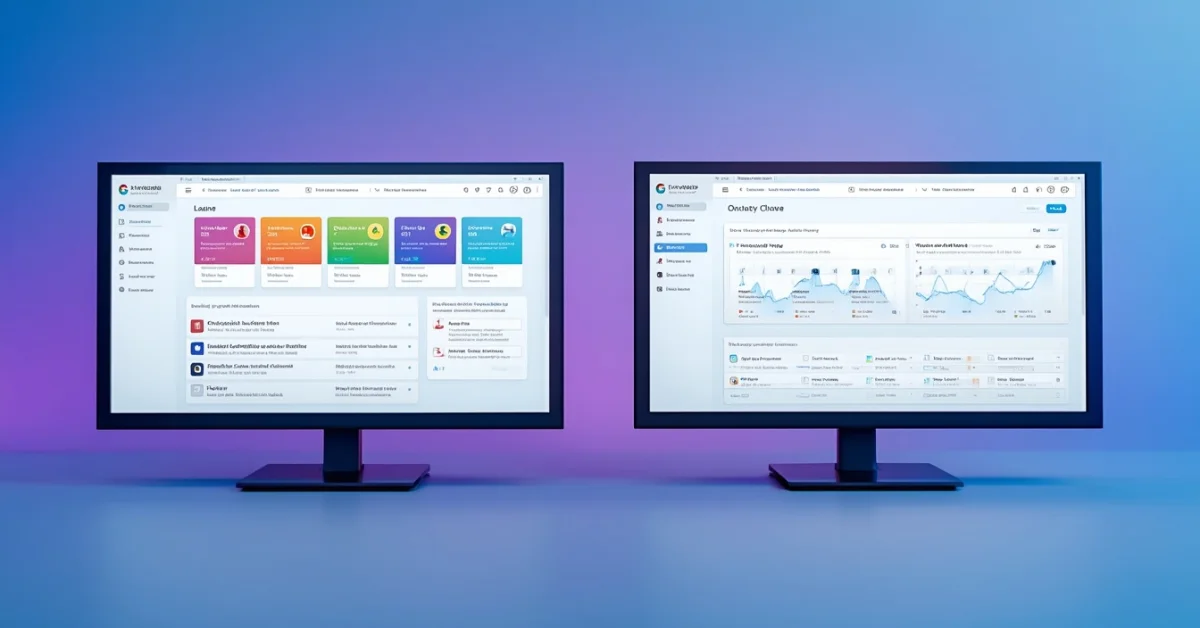
Choosing between Moodle and Canvas is one of the most consequential LMS decisions an institution can make — and the wrong choice shows up immediately in teacher adoption rates, student engagement, and IT support overhead. Canvas now holds over 35 percent of the US higher education market. Moodle has more than 300 million users across 240 countries and remains the dominant platform globally by installation count. Both are genuinely capable. The right choice depends on your institution’s budget, technical resources, and what your teachers and students will actually use.
This comparison covers every dimension that matters in practice — interface, customization, mobile experience, integrations, analytics, performance, support, and verified 2026 pricing — with a clear verdict on which platform fits which type of institution.
What Is Moodle?
Moodle (Modular Object-Oriented Dynamic Learning Environment) is a free, open-source LMS first released in 2002, maintained by Moodle HQ and a global community of developers. With over 300 million users across 240 countries, it is the world’s most widely used LMS by total installation count. The software itself is free to download and self-host — institutions pay for server hosting and, optionally, managed hosting through MoodleCloud rather than for the software license.
Moodle is strongest for universities and colleges outside the US, government and military training organizations, non-profits with limited budgets, institutions with strong IT teams who need full customization control, and organizations that cannot use cloud-hosted solutions for data sovereignty reasons.
What Is Canvas?
Canvas is a cloud-based LMS developed by Instructure, founded in 2008. It has grown to become the leading LMS in US higher education, with over 35 percent market share and strong adoption in K-12 districts and corporate training programs. Unlike Moodle, Canvas is a managed cloud service — Instructure handles hosting, infrastructure, and uptime, which removes server management from the institution’s responsibility entirely.
Canvas is strongest for K-12 schools and school districts in the US, universities and colleges prioritizing ease of adoption, corporate training programs, and institutions that need reliable support without maintaining a dedicated LMS technical team. Individual teachers can use Canvas Free for Teachers at no cost — a genuine free tier that gives full access to course creation, assignments, and grading.
Moodle vs Canvas: Feature Comparison
User Interface and Ease of Use
Canvas has one of the cleanest interfaces of any LMS. Navigation is logical, course modules display in clear hierarchy, and the inbox consolidates all communications. Faculty switching from older systems like Blackboard consistently rate Canvas as dramatically easier — new users typically feel comfortable within hours rather than days. This is Canvas’s most consistent competitive advantage and the primary reason US institutions choose it over alternatives.
Moodle’s interface has improved significantly in recent versions but still carries a steeper learning curve, particularly for non-technical users. The breadth of customization options that make Moodle powerful are also what make it feel complex to beginners — more choices require more decisions, and first-time users often need structured onboarding to navigate effectively. Institutions that have invested in Moodle training report high satisfaction, but the upfront learning investment is real.
Verdict: Canvas wins clearly on out-of-the-box usability. Moodle rewards institutions that invest in training and configuration.
Customization
Moodle’s open-source architecture allows modification of the core code, installation of thousands of community-built plugins, custom theme development, and the creation of entirely new features. This flexibility is Moodle’s most significant competitive advantage for institutions with specific requirements that no off-the-shelf LMS addresses out of the box.
Canvas, being a managed cloud platform, limits customization to themes, branding, and supported integrations. You cannot modify the core product. For the majority of institutions whose needs fall within what Canvas was designed to support, this is not a limitation in practice. For institutions with highly specific requirements — niche assessment types, custom workflows, specialized reporting — Moodle’s customizability resolves problems Canvas cannot.
Verdict: Moodle wins on customization depth. Canvas wins on simplicity for institutions that do not need deep customization.
Mobile App
Canvas’s mobile apps for iOS and Android are consistently rated highly in both app stores. Students can view courses, submit assignments, check grades, and communicate with teachers. Teachers can grade on mobile with a polished interface. For K-12 environments where students may be primarily on tablets or phones, Canvas’s mobile experience is a meaningful practical advantage.
Moodle has mobile apps for iOS and Android that cover core functionality — viewing courses, submitting assignments, checking grades — but the experience is less polished than Canvas. The apps function reliably but do not match Canvas’s level of interface refinement. Third-party Moodle app alternatives exist but add setup complexity.
Verdict: Canvas delivers a noticeably better mobile experience for both students and teachers.
Integrations
Canvas provides over 400 LTI integrations with major third-party tools — Google Workspace, Microsoft 365, Zoom, Turnitin, Khan Academy, and others. The Canvas App Center makes finding and configuring integrations straightforward for administrators without deep technical knowledge.
Moodle supports LTI integrations and offers thousands of plugins in its official plugin directory — more raw options than Canvas. Installing and configuring Moodle plugins requires more technical knowledge than Canvas integrations, which limits practical accessibility for institutions without dedicated LMS administrators.
Verdict: Canvas for ease of integration setup. Moodle for raw number of available plugins with technical resources to implement them.
Analytics and Reporting
Canvas provides built-in analytics covering student activity, assignment completion rates, and engagement metrics. Canvas Data enables advanced reporting for institutions that need deeper analysis. Visual dashboards give instructors and administrators actionable information without custom configuration.
Moodle offers strong reporting tools that require more setup time. Third-party plugins like Intelliboard and Zoola Analytics extend Moodle’s reporting significantly for institutions willing to invest in configuration. Custom reports can be built by technical users with SQL access to the underlying database — a capability Canvas does not expose.
Verdict: Canvas for accessible out-of-the-box reporting. Moodle for advanced custom reporting with technical investment.
Performance and Reliability
Canvas, as a managed cloud platform, guarantees 99.9 percent uptime backed by Instructure’s infrastructure. Performance is consistent regardless of enrollment size. Institutions do not manage servers, handle scaling during peak periods, or worry about infrastructure maintenance.
Moodle’s performance depends entirely on the hosting environment. A well-configured server handles large institutions effectively. Poorly configured or under-resourced hosting causes slowdowns during peak periods — exam sessions and semester starts are the most common pressure points. MoodleCloud managed hosting resolves this but adds cost that reduces Moodle’s price advantage.
Verdict: Canvas wins on guaranteed uptime without IT overhead. Moodle performance is achievable but requires appropriate investment in infrastructure.
Support
Canvas includes 24/7 phone and chat support, a comprehensive knowledge base, Canvas Community forums, and dedicated customer success managers for institutional clients.
Moodle’s free version relies on community support — forums, documentation, and volunteer help. Paid support requires engaging a third-party Moodle partner, with quality varying by provider. MoodleCloud includes basic support from Moodle HQ.
Verdict: Canvas includes professional support. Moodle requires additional cost or community reliance for equivalent coverage.
Moodle vs Canvas: Pricing 2026
| Plan | Moodle | Canvas |
|---|---|---|
| Free Option | Free to download and self-host | Free for Teachers — canvas.instructure.com |
| Small Institution | $80–$500/year (MoodleCloud) | Custom quote — contact Instructure |
| Per Student Cost | Free (self-hosted) or MoodleCloud pricing | $5–$15 per student per year (negotiated) |
| Large Institution | $0 software + hosting costs | $50,000–$500,000+/year |
| Hidden Costs | IT staff, hosting, maintenance | Implementation, add-ons, premium support |
Canvas does not publish public pricing — institutional pricing is negotiated based on student count and contract length. Individual teachers can use Canvas Free for Teachers at no cost. Moodle’s software is free, but self-hosting requires server costs and IT resources that add real expense at scale.
Who Should Use Moodle?
Moodle is the right choice for institutions with a limited budget and IT resources capable of managing self-hosted infrastructure — the software itself costs nothing, and the primary expense is hosting and maintenance. Institutions outside the US benefit from Moodle’s stronger international community and plugin ecosystem. Organizations that need full data ownership and cannot use cloud-hosted solutions for compliance reasons will find Moodle the only practical option. Institutions requiring deep customization beyond what Canvas’s managed environment permits should evaluate Moodle seriously — the plugin ecosystem and code-level access address requirements that Canvas structurally cannot.
Who Should Use Canvas?
Canvas is the right choice for institutions that prioritize teacher and student adoption speed over customization depth. K-12 schools and US universities benefit from Canvas’s dominant market position, extensive integration ecosystem, and the practical reality that most third-party educational technology is tested and certified against Canvas first. Institutions without a large IT team to manage server infrastructure avoid the ongoing maintenance burden that self-hosted Moodle requires. Individual teachers should use Canvas Free for Teachers before their institution commits to any paid LMS — the free tier provides the full course creation and management experience at zero cost.
The Bottom Line
Canvas is the stronger choice for most US institutions in 2026 — particularly for K-12 schools, US universities prioritizing adoption speed, and any organization that cannot dedicate IT resources to LMS infrastructure management. The interface advantage is real, the support is included, and the managed infrastructure removes a category of ongoing maintenance work.
Moodle is the stronger choice for budget-constrained institutions willing to invest IT resources in configuration, organizations outside the US with strong community support access, and any institution with requirements that exceed what Canvas’s managed environment permits. For institutions where the LMS software cost is a genuine barrier and IT capacity exists, Moodle’s free self-hosted model is genuinely compelling.
For educators looking for additional tools to complement their LMS, our guide to the best AI tools for students covers the AI tools students are using alongside their LMS for research, writing, and study in 2026.
Frequently Asked Questions
Is Moodle better than Canvas?
It depends on your institution’s needs and resources. Canvas is better for ease of use, mobile experience, reliable support, and performance without IT overhead. Moodle is better for cost, customization depth, and data sovereignty. For most US schools that want fast teacher adoption with minimal IT management, Canvas is the stronger choice. For budget-constrained institutions with IT capacity and customization needs, Moodle is more appropriate.
Is Moodle completely free?
Moodle software is free to download and use under an open-source license. You pay for web hosting to run it — costs range from around $50/month for small institutions to significantly more at scale. MoodleCloud, Moodle’s managed hosting option, starts around $80/year for small institutions and scales based on user count. The total cost of ownership including IT staff time for self-hosted Moodle is higher than the software license cost alone.
Can individual teachers use Canvas for free?
Yes. Canvas offers a genuinely free account for individual teachers at canvas.instructure.com. This provides full access to course creation, assignments, grading, and student enrollment — the complete teaching experience. It is the most effective way for teachers to evaluate Canvas before their institution commits to a paid institutional plan.
Which LMS is easier for students to use?
Canvas is consistently rated easier for students across independent surveys and institutional feedback. The clean dashboard, clear course navigation, and polished mobile app make it accessible for students of all ages and technical backgrounds. Moodle’s interface is functional but more complex for first-time users — particularly younger students in K-12 environments.
Which LMS is more widely used globally?
Globally, Moodle leads by total installations with over 300 million users across 240 countries. In the US higher education market specifically, Canvas leads with over 35 percent market share as of 2026. Canvas dominates in the US, UK, and Australia. Moodle leads across continental Europe, Latin America, Asia, and Africa.
Can you switch from Moodle to Canvas?
Yes. Canvas provides data migration tools and support for institutions transitioning from other LMS platforms including Moodle. The migration process typically takes weeks to months depending on the volume of course content and the complexity of the existing Moodle configuration. Canvas’s implementation team assists with transitions, and the migration scope and timeline should be clearly scoped before signing a Canvas contract.
Which LMS is better for K-12 schools?
Canvas is generally stronger for K-12 schools, particularly in the US. The interface works well for younger students, integrations with Google Classroom and Microsoft Teams are reliable and well-documented, and the support model is more accessible for school administrators without dedicated LMS IT staff. Many US school districts have standardized on Canvas precisely because of the lower technical management burden.