

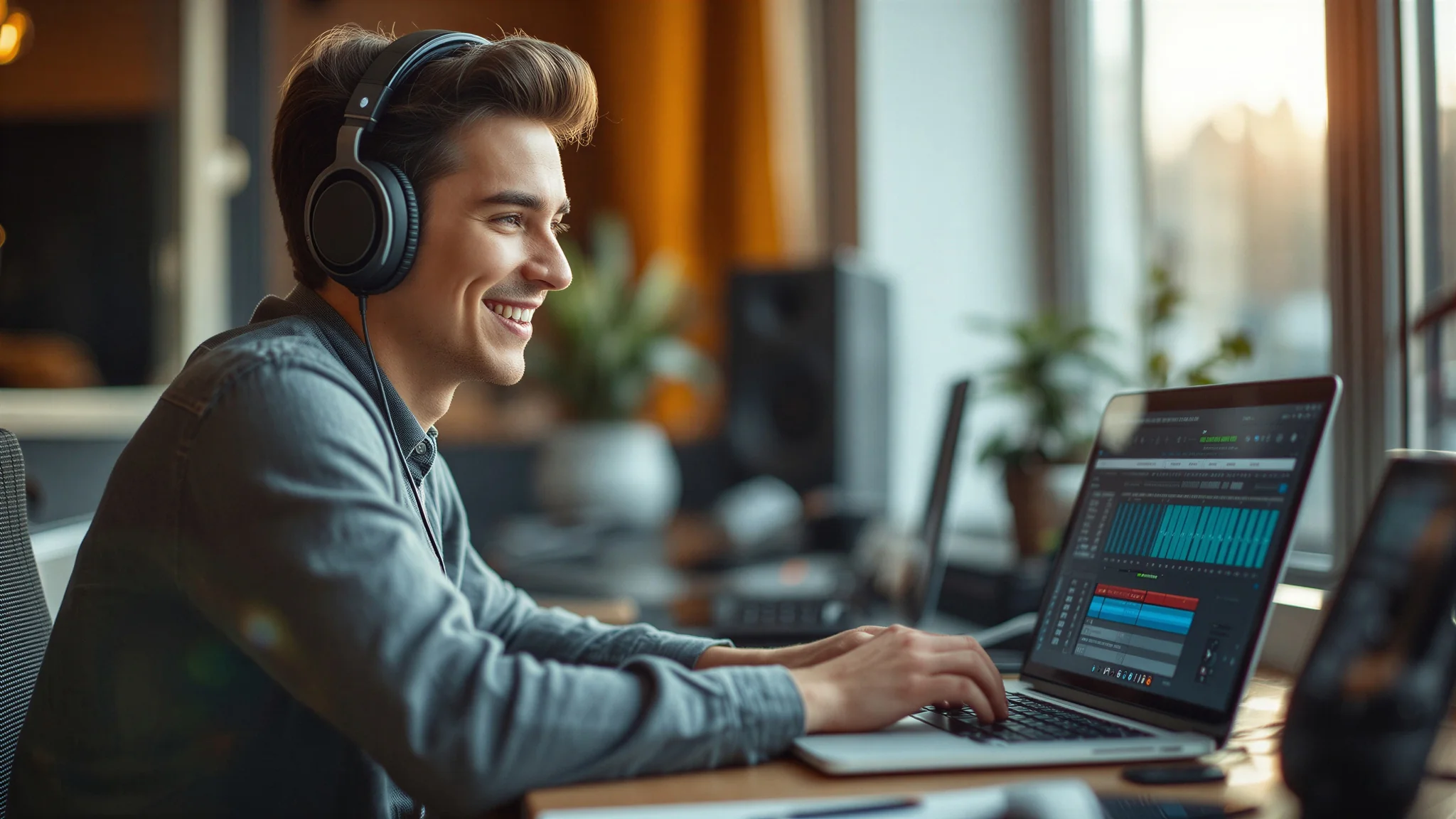
You have a song in your head, a beat you want to build, or a school project that needs original music — and no budget for software. A DAW, a Digital Audio Workstation, is the program where that music gets made: you record audio, arrange loops and MIDI notes on a timeline, add effects, and mix everything into a finished track. The good news is that you do not need to pay for one. Several genuinely free DAWs cover everything a student needs, from first beats to finished songs.
The catch is that “free” means very different things here. One tool runs entirely in your browser with unlimited projects. Another is a full professional studio that only works on Apple devices. A third is completely free and open source but looks old-fashioned, and a fourth is free only as an audio editor — it cannot play virtual instruments at all. And one famous name in this list is not free: it gives you 60 days and then asks for $60, which matters if you were counting on it. Below: seven of the best free daws for students in 2026, with every free-plan limit checked against the tool’s own website.
What Free DAWs Can and Cannot Do
A free DAW lets you record, arrange, edit and mix music on your own computer. You can record vocals and instruments, program drums and synths with MIDI, cut and move audio on a timeline, add effects like reverb and compression, and export a finished song as MP3 or WAV. That is genuinely enough for class projects, YouTube background music, beats, podcasts and demos.
What it cannot do is match a paid studio setup. Free versions usually limit something: fewer tracks, fewer built-in sounds, no video scoring tools, or no collaboration features. They also rarely include the huge sound libraries that paid DAWs ship with, so you will lean on free loops and third-party plugins. And one warning that applies to the most famous name in this list: REAPER is not free. Its own purchase page gives you 60 days of evaluation with full functionality, and after that a discounted licence costs $60 (commercial licence $225). It is an excellent DAW and many students buy it later, but do not plan a semester around it expecting it to stay free — pick one of the seven below instead.
One more warning that applies to every tool below: free DAWs still need a computer that can keep up. Music production uses your processor and RAM heavily, especially with several tracks and effects. A slow laptop will stutter and crash mid-take, so close other apps while you record, and save your project often.
Quick Comparison: The 7 Best Free DAWs
Here is how the best free daws for students compare at a glance:
| Tool | Free allowance | Platforms | Signup needed | Best for |
|---|---|---|---|---|
| BandLab | Free, unlimited projects | Web, iOS, Android | Yes | Making music anywhere, collaborating |
| GarageBand | Free, full app | Mac, iPhone, iPad | Apple Account | Apple users, first songs |
| Cakewalk Sonar | Free tier, core DAW | Windows | Free BandLab account | Windows users wanting a pro studio |
| LMMS | Free, open source, no limits | Windows, Linux, macOS | No | Beat making on any computer |
| Audacity | Free, open source | Windows, Mac, Linux | No | Recording and editing audio only |
| Waveform Free | Free, unlimited, no track limits | macOS, Windows, Linux | No | A full free DAW on any desktop |
| Pro Tools Intro | Free DAW | Windows, Mac | Yes | Learning the industry-standard DAW |
1. BandLab
BandLab is the easiest free DAW to start with, because there is nothing to install. It runs in your browser and on your phone, and its own homepage calls its Studio “100% free”. You get unlimited multi-track projects and free cloud storage, so your songs live online and follow you from your laptop to your phone. It also comes with hundreds of thousands of royalty-free loops and samples, an online mastering service, and collaboration with up to 50 people on one project — your classmates can add their parts from their own devices.
The trade-off is that it is built for quick, social music-making rather than deep studio work. The browser studio is simpler than a desktop DAW, and serious mixing is easier elsewhere. But for a first song, a class collaboration, or a beat made on the bus, nothing else on this list is as fast to open and use.
Pick BandLab when you want to start making music in the next five minutes, on any device, with friends.
Price: Free (100% free Studio, unlimited projects, free cloud storage).
Source: bandlab.com
2. GarageBand
GarageBand is the best free DAW if you own a Mac, iPhone or iPad — and only then, because Apple does not make a Windows or Android version. It is free on the Mac App Store and the App Store (the listing shows a price of $0.00 from Apple Inc.), it usually comes pre-installed on new Macs, and the extra Sound Library packs cost nothing either. The paid step up is Logic Pro at $199.99 for Mac, but you do not need it to start.
On a Mac it is a real studio: up to 255 audio tracks, a complete sound library with instruments and presets for guitar and voice, 28 virtual session drummers and three percussionists across six genres, 100 EDM- and Hip Hop-inspired synth sounds, and built-in piano and guitar lessons with instant feedback on your playing. Projects sync through iCloud, so a song started on your iPhone can be finished on your Mac.
Pick GarageBand when you already have an Apple device and want the friendliest full DAW that costs nothing.
Price: Free (Mac App Store / App Store, $0.00; Sound Library packs free).
Source: apple.com/mac/garageband
3. Cakewalk Sonar
Cakewalk Sonar is the free tier of the professional Windows DAW formerly known as Cakewalk by BandLab — and the name change matters, so read this one carefully. The old Cakewalk by BandLab was retired: it stopped offering activation renewal after 1 August 2025, and the service ended on 2 January 2026. Its replacement is Cakewalk Sonar (Windows) and Cakewalk Next (Windows and Mac). Sonar has a free tier for anyone with a free BandLab account, with the core DAW free: unlimited tracks, AudioSnap tempo tools, VocalSync and the XSampler instrument. A BandLab Membership at $14.95 per month unlocks extra ProChannel modules, the plugin suite and unlimited arranger tracks.
On a Windows PC it is the deepest free DAW on this list — the same professional recording, mixing and editing tools that once cost hundreds of dollars, with unlimited audio and instrument tracks. The cost is complexity: the interface is built for engineers, not beginners, and it only runs on Windows.
Pick Cakewalk Sonar when you are on Windows and want a professional-grade studio for free — and download Sonar, not the retired Cakewalk by BandLab.
Price: Free tier (core DAW, unlimited tracks, free BandLab account); BandLab Membership $14.95/month for extras.
Source: bandlab.com/products/cakewalk
4. LMMS
LMMS is the best free DAW for beat makers on any computer, and the only fully open-source one on this list. Its own homepage says it plainly: “LMMS is a 100% free, open source, community-driven project.” There is no paid version, no trial, and no account — you download it for Windows, Linux or macOS and own it.
It is built around making music with patterns: a Beat+Bassline Editor for drums and bass, a Piano Roll Editor for melodies, 16 built-in synthesizers including emulations of the Roland TB-303, the Commodore 64 SID chip and the Nintendo NES, plus VST instrument and effect support and SoundFont sample support. It is weaker at recording live audio than the others here — it is a composition tool first — but for electronic music, hip hop and game-style chiptune, it is hard to beat at any price.
Pick LMMS when you make beats and melodies, want zero cost forever, and use Windows, Linux or Mac.
Price: Free (100% free, open source, no paid version).
Source: lmms.io
5. Audacity
Audacity is in this list as an editor, not as a full DAW — and that distinction matters. It is the world’s most popular free software for recording and editing audio: its own FAQ says “Audacity has always been and will always remain free for everyone”, it is open source, it runs on Windows, Mac and Linux, and it has been downloaded more than 100 million times since 2000. It records and edits multi-track audio, supports VST3 plugins, and exports to WAV, MP3, FLAC and more.
What it cannot do is what a DAW does: there is no MIDI sequencing, no virtual instruments, and no piano roll for composing melodies. You cannot load a synth and play it with your keyboard. So use Audacity for what it is brilliant at — recording vocals, cleaning up audio, cutting a podcast or a voiceover, and editing a finished mix — and pair it with LMMS or BandLab when you need to compose the music itself.
Pick Audacity when you need to record or edit audio for free, and understand it is an editor, not a full DAW.
Price: Free (open source, free forever).
Source: audacityteam.org
6. Waveform Free
Waveform Free is the most complete free DAW on this list for desktop users. Tracktion’s own page calls it “the world’s best, fully featured, completely unlimited free DAW” — and the limits really are absent: no track-count restrictions and no trial expiry, so you can build ambitious arrangements, record a full band and finish productions at your own pace. Version 14.1 includes 14 built-in audio effects, 8 MIDI effects, 11 utility plugins and 4 built-in instruments, with VST, VST3 and AU plugin support.
It runs on macOS 13 or later, Windows 10 and 11, and Ubuntu 24.04, and it covers the whole workflow: inline MIDI and step-clip programming for electronic music, multi-track recording for bands, a pattern generator for ideas, and retrospective recording so a take you played before pressing record is not lost. Optional expansion packs start from $30 if you later want more instruments or tools, but the free core needs none of them.
Pick Waveform Free when you want a full, unlimited desktop DAW for free, on Windows, Mac or Linux.
Price: Free (fully featured, unlimited, no trial expiry); expansion packs from $30.
Source: tracktion.com/products/waveform-free
7. Pro Tools Intro
Pro Tools Intro is the free version of the DAW most professional studios run — and that is exactly why it belongs here. Avid’s own page says it directly: “Pro Tools Intro is a free DAW that gives you the essential audio and MIDI tools you need for music production, plus 36 effects and instrument plugins.” You also get hundreds of instrument sounds and loops, and Splice integration with access to over 2,500 free loops and samples.
The real advantage is compatibility: because Pro Tools Intro is Pro Tools, you can take your session into any studio and collaborate with other artists and producers on the same files. The free version is cut down compared with the paid Pro Tools — fewer tracks and plugins — but it teaches you the exact workflow, shortcuts and session format the industry uses, which no other free DAW on this list does.
Pick Pro Tools Intro when you want to learn the industry-standard DAW for free, and plan to work with other musicians or studios later.
Price: Free (free DAW, 36 effects and instrument plugins included).
Source: avid.com/pro-tools/intro
How to Pick the Best Free DAW for Students
Ask three questions before you choose:
What computer do you have? If you have a Mac, iPhone or iPad, GarageBand is the obvious first pick. On Windows, Cakewalk Sonar or Waveform Free give you a professional studio. On Linux, LMMS and Waveform Free are your options. If you have no computer at all, BandLab runs in a browser on a phone or a school Chromebook.
Do you compose or record? If you make beats and melodies, LMMS and BandLab are built for that. If you record vocals, guitar or a band, Waveform Free, Cakewalk Sonar and Pro Tools Intro are built for that. If you only need to record and clean up audio — a podcast, a voiceover, a song demo — Audacity is the fastest tool for the job.
How big will your songs get? Most tools here are unlimited, but two have caps worth knowing. SoundBridge, another free DAW not in the main seven, gives you a free 10-track version — fine for a small song, too small for a full band arrangement, with its Everything Bundle at $9.99 a month for unlimited tracks. And remember REAPER is not free at all: 60 days, then $60. Whatever you pick from the best free daws for students, download it from the maker’s own site, not a random download portal, and save your first project before you record a single note.
A practical setup many students use: BandLab for quick ideas and collaboration, Waveform Free or Cakewalk Sonar as the main studio on a desktop, and Audacity alongside for recording and cleaning up audio. For the other half of a student creator’s workflow — putting your music to video — our guide to the best free video editing software for beginners covers the free editors that handle soundtracks and music videos.
How to Use a Free DAW Properly
Start small and finish one song before you learn everything. Pick one DAW from this list, learn its timeline, and make a 30-second loop: drums, one bass line, one melody. A finished short track teaches you more than a half-learned manual.
Record clean audio before you reach for effects. A noisy recording stays noisy under reverb. Record in a quiet room, keep the microphone close, watch your input level so it never hits the red, and record a few extra takes — you can comp the best parts together later.
Save versions as you go. Free DAWs can crash, and a lost project is a lost afternoon. Save after every good take, and keep a copy of the project folder somewhere else — a USB stick or cloud storage — before the deadline, not after it.
Then export and listen somewhere else. A mix that sounds great on headphones can sound muddy on a phone speaker. Export an MP3, play it on your phone and on a laptop speaker, and fix what jumps out. For music videos and edits, our guide to the best AI video editing tools in 2026 covers the free editors that pair well with a finished track.
Final Thoughts
For most students, the best free daws for students in 2026 are Waveform Free for a full unlimited desktop studio and BandLab for making music anywhere with friends. Waveform Free gives you a professional DAW with no track limits and no expiry on Windows, Mac or Linux, and BandLab gives you a free studio in your browser and pocket with unlimited projects. If you are on a Mac, GarageBand is the friendliest start of all, and if you want to learn the industry standard, Pro Tools Intro teaches you the real thing for free. If you only make beats, LMMS costs nothing forever — and if you only need to record and edit audio, Audacity has been free since 2000.
Start with one DAW and one finished song this week. Thirty seconds of your own music beats a folder of half-installed software every time. For more free study tools, see our guide to the best AI tools for students.
If you record your music or tutorials, a free screen recorder can help you capture them. See our guide to the Best Free Screen Recorders for Students.
Frequently Asked Questions
What is the best free DAW for students?
Waveform Free tops our list of the best free daws for students: a fully featured, unlimited free DAW with no track limits and no trial expiry, on Windows, Mac and Linux. If you want to make music in a browser or on your phone instead, BandLab is the better pick with unlimited free projects. Mac users should start with GarageBand.
Is there a completely free DAW with no sign-up?
Yes — LMMS, Audacity and Waveform Free all work without an account. LMMS and Audacity are open source and free forever, and Waveform Free has no track-count restrictions or trial expiry. BandLab, GarageBand, Cakewalk Sonar and Pro Tools Intro all need a free account.
Can a free DAW replace a paid one like FL Studio or Logic Pro?
For student work, mostly yes. Free DAWs record, arrange, mix and export finished songs, and Waveform Free and Cakewalk Sonar cover professional workflows. Paid DAWs add bigger sound libraries, more built-in instruments and advanced tools like video scoring — useful later, not required for your first songs.
Is REAPER free?
No. REAPER gives you 60 days of evaluation with full functionality, and after that a discounted licence costs $60 (commercial licence $225). It is an excellent DAW, but it is not free — if you need a DAW that stays free, pick Waveform Free, LMMS or BandLab instead.
Do I need an expensive computer to make music?
No, but music production uses your processor and RAM, so a very old laptop will stutter with many tracks and effects. Start with a few tracks, freeze or bounce finished parts to audio to save power, close other apps while you record, and save often. BandLab in a browser is the lightest option if your computer struggles.
Last verified: November 6, 2026. Prices and free-plan limits change — check the tool’s own website before paying or downloading.
Pingback: Best Free Screen Recorders for Students in 2026