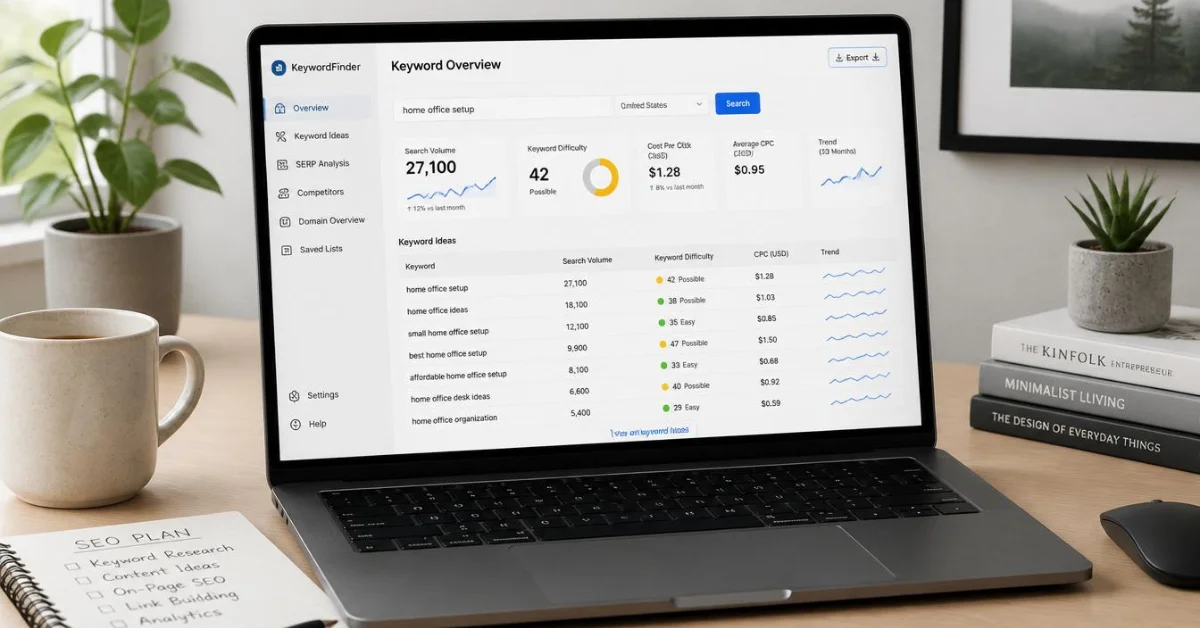
If you’re just starting out with SEO and don’t want to spend $100+ a month on premium tools, you’re in luck — there are genuinely powerful free keyword research tools that can carry you through the early stages of building a blog or website. The trick is knowing which ones to use and what each one is actually good for, because no single free tool does everything well. This list covers the 10 best free keyword research tools for beginners in 2026, what makes each one useful, and exactly how to use them to find keywords worth targeting.
1. Google Keyword Planner
Best for: Validating search volume and finding seed keyword ideas
Google Keyword Planner is the most authoritative free keyword tool available — it pulls data directly from Google’s own search database, which is where your traffic will come from anyway. It’s technically built for Google Ads users, but you don’t need to run ads to use it for SEO research. You just need a free Google account.
The main limitation for beginners is that Keyword Planner shows search volume as a range (like “1K–10K”) rather than an exact number unless you’re actively running ads. But as a starting point for discovering related keyword ideas, understanding competition levels, and finding CPC data, it’s hard to beat — especially because the data comes straight from Google itself. Start here, then use other tools on this list to get more precise numbers.
Free limit: Unlimited with a Google Ads account (no spending required)
2. Google Search Console
Best for: Finding keywords your site already ranks for
If you already have a site published, Google Search Console (GSC) is the single most underused free SEO tool available. Under the Performance tab, you can see every keyword your site is getting impressions for, your average position, and your click-through rate. This tells you exactly where you’re already on Google’s radar — and where a small improvement in content or on-page SEO could move you from position 15 to position 5.
For a new blog, GSC won’t have much data yet — but connect it immediately so data starts accumulating. After a few months of publishing, it becomes one of the most valuable research tools you have, and it’s completely free and directly integrated with Google.
Free limit: Completely free, no restrictions
3. Ubersuggest
Best for: Beginners who want keyword data in a simple, clean interface
Ubersuggest, created by Neil Patel, is one of the most beginner-friendly keyword tools available. You type in a seed keyword and it generates related keyword suggestions with search volume, keyword difficulty (KD), and CPC data — all in a clean dashboard that doesn’t overwhelm you with metrics you don’t need yet.
The free plan lets you search up to 3 keywords or domains per day, which is enough if you’re doing focused research rather than bulk analysis. One particularly useful feature for beginners is the competitor analysis — enter any competitor’s domain and see which keywords they’re ranking for. This is a faster way to find proven keyword ideas than starting from scratch with seed words.
Free limit: 3 keyword/domain searches per day; paid plans start at $16/month
4. Google Trends
Best for: Checking whether a keyword’s popularity is growing or declining
Google Trends doesn’t give you search volume numbers, but it tells you something equally important: whether interest in a topic is rising, falling, or seasonal. This matters because there’s a big difference between writing about a topic that’s growing and one that peaked three years ago and is fading.
Enter any keyword and Google Trends shows you its search interest over time, by region, and compared to related terms. For a beginner, the best use of Google Trends is validating your keyword ideas before investing time in writing about them. If the trend line is climbing, that’s a green light. If it’s been declining steadily for two years, move on.
Free limit: Completely free, no account required
5. AnswerThePublic
Best for: Finding question-based and long-tail keyword ideas
AnswerThePublic visualizes all the questions, prepositions, and comparisons people search around any topic. Enter a seed keyword like “keyword research” and it generates a map of questions like “how does keyword research work,” “what is keyword research for SEO,” “keyword research for beginners vs advanced” — organized into who, what, when, where, why, and how categories.
This is particularly useful for finding long-tail keywords with informational intent — the kind that beginners can actually rank for without massive domain authority. Each question it surfaces is essentially a potential article idea with real search demand behind it.
Free limit: 3 free searches per day without an account; more with a free account
6. Keyword Tool (keywordtool.io)
Best for: Generating long-tail keyword suggestions from Google Autocomplete
Keyword Tool works by scraping Google’s autocomplete feature — the suggestions that appear when you start typing a search query — and organizing them into a usable list. It’s one of the fastest ways to find long-tail keyword variations you wouldn’t think of on your own.
The free version doesn’t show search volume or CPC data, but it generates 750+ keyword suggestions per search, and the suggestions themselves are valuable even without numbers. You can then take the most relevant ones and check their volume in Google Keyword Planner. It also works for YouTube, Bing, Amazon, and Instagram — useful if you’re building content across multiple platforms.
Free limit: Unlimited searches, but no volume/CPC data on free plan
7. Moz Keyword Explorer (Free Version)
Best for: Getting keyword difficulty scores and SERP analysis
Moz’s Keyword Explorer gives you keyword difficulty, monthly search volume, click-through rate, and search intent data in one place. The keyword difficulty score is particularly useful for beginners because it tells you how hard it would be to rank on the first page — a low KD score means there’s an opportunity even for a new site.
The free version is limited to 3 searches per day, which sounds restrictive but is actually enough if you’re doing focused, deliberate research rather than bulk hunting. Use it to validate specific keyword candidates you’ve already identified through other tools on this list.
Free limit: 3 keyword queries per day; paid plans start at $99/month
8. AlsoAsked
Best for: Building article outlines and finding related questions Google shows in PAA boxes
AlsoAsked pulls data from Google’s “People Also Ask” (PAA) boxes — the expandable question sections that appear in search results. It shows you which questions are related to each other and how they connect, giving you a map of what users actually want to know around any topic.
This is especially useful for structuring your articles. When you can see which questions Google groups together under a topic, you can build a more comprehensive article that covers all the angles — which tends to rank better than a narrow post that only covers one angle. Each question in the AlsoAsked map is also a potential standalone article idea.
Free limit: A few free searches per day; paid plans available for heavy users
9. Semrush Free Plan
Best for: Getting professional-grade keyword data with limited daily searches
Semrush is one of the most powerful keyword research platforms in the industry, and its free plan gives beginners a meaningful taste of what it can do. With a free account, you get 10 keyword searches per day and 10 domain analysis searches per day — enough to research a focused set of target keywords each day without paying anything.
The data quality is excellent — Semrush shows keyword difficulty, search volume, CPC, search intent, and competitive density, all of which are more accurate than most other free tools. If you’re doing keyword research the way discussed throughout this site — looking for KD under 15, informational intent, volume between 100 and 2,000 — Semrush’s free plan gives you everything you need to make those decisions.
Free limit: 10 keyword searches and 10 domain searches per day; paid plans start at $139/month
10. KWFinder by Mangools
Best for: Finding low-competition long-tail keywords with an easy-to-use interface
KWFinder is widely regarded as one of the most beginner-friendly keyword tools that also provides genuinely useful data. Its keyword difficulty score is considered one of the most accurate in the industry, and the interface is clean enough that a complete beginner can understand the data without a tutorial.
Enter a seed keyword and KWFinder generates related long-tail suggestions sorted by difficulty — making it easy to spot the low-competition opportunities. The free plan gives you 5 lookups per 24 hours with 15 related keyword suggestions per lookup, which is workable for targeted research sessions.
Free limit: 5 lookups per 24 hours; paid plans start at $29/month
How to Use These Tools Together (The Smart Approach)
The biggest mistake beginners make is relying on just one tool. Each free tool has a different strength — and using them in combination gives you a much clearer picture than any single tool can.
A practical workflow: start with AnswerThePublic or AlsoAsked to generate question-based keyword ideas around your topic. Then run your best candidates through Semrush or Ubersuggest to check search volume and keyword difficulty. Use Google Trends to confirm the topic is stable or growing. Finally, validate the most promising keywords in Google Keyword Planner to cross-check volume data from Google’s own source. This process takes 15–20 minutes per topic and gives you far more confidence in your keyword choices than any single-tool approach.
Frequently Asked Questions
Which free keyword research tool is best for absolute beginners?
Ubersuggest is the most beginner-friendly option because of its clean interface and simple metrics. Google Keyword Planner is the most authoritative since data comes directly from Google. For most beginners, starting with both — Ubersuggest for ideas and Google Keyword Planner for validation — covers the essentials without any cost.
Can I do serious SEO with only free keyword tools?
Yes, especially in the early stages. The free plans of Semrush, Ubersuggest, and Moz Keyword Explorer give you access to the same core metrics (search volume, keyword difficulty, intent) that paid plans provide — just with daily search limits. For a blogger publishing a few articles per week, these limits are rarely a problem.
What keyword difficulty score should beginners target?
Aim for keywords with a difficulty score of 15 or below when you’re starting out. Scores above 30 typically require significant domain authority to compete with, which a new site won’t have. Low difficulty combined with a search volume of 200 to 2,000 per month is the sweet spot for new blogs looking to rank without massive competition.
Do I need to pay for a keyword tool to rank on Google?
No. Many successful blogs and niche sites were built entirely using free tools like Google Keyword Planner, Google Search Console, and Ubersuggest. Paid tools save time and give you more data, but they’re not required to find good keywords and rank for them, especially in low-competition niches.
Final Thoughts
You don’t need a paid subscription to find keywords worth ranking for — you just need to know which free tools to use and how to combine them. Start with Google Keyword Planner and Google Search Console as your foundation, use AnswerThePublic or AlsoAsked to find question-based content ideas, and validate your best picks with Semrush or Ubersuggest’s free daily searches. If you’re also thinking about how to monetize your blog once you start getting traffic, our guide on how to get Google AdSense approval fast covers exactly what you need to set up before applying.