Introduction
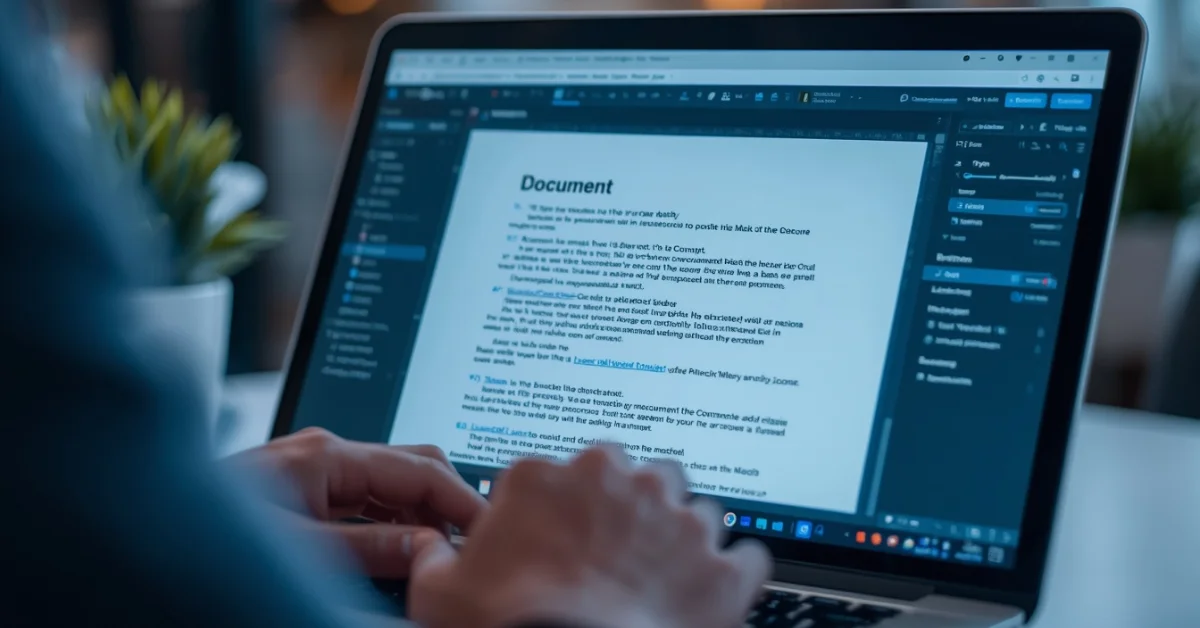
PDF files are everywhere — school assignments, work documents, contracts, and forms. But editing a PDF is surprisingly tricky without the right tools. Adobe Acrobat costs $12.99 per month — and most people do not need to pay that much.
In this complete guide, we review the 10 best free PDF editors available. Whether you need to edit text, fill forms, merge files, compress documents, or convert PDFs — there is a free tool for every task.
All tools in this guide have been verified and updated. We only recommend tools that are genuinely free and actively maintained in 2026.
What Can You Do with a Free PDF Editor?
- View and read PDF files
- Add text, images, and annotations
- Highlight and underline text
- Fill and sign PDF forms
- Merge multiple PDFs into one file
- Split a PDF into separate pages
- Compress PDF to reduce file size
- Convert PDF to Word, Excel, or images
- OCR — make scanned PDFs searchable
- Add page numbers and watermarks
10 Best Free PDF Editors
1. PDF24 Creator
Best Free Offline PDF Editor — No Limitations
PDF24 Creator is the most comprehensive completely free PDF tool available for Windows. It works entirely offline — your files never leave your computer. There are no daily task limits, no file size restrictions, no watermarks, and no paid plans required. It covers editing, merging, splitting, compression, conversion, and OCR all in one application.
Key Features:
- Edit text, images, and pages in PDFs
- Merge, split, rotate, and reorder pages
- Compress PDF files significantly
- Convert PDF to Word, Excel, and images
- OCR feature — makes scanned PDFs searchable and editable
- Works completely offline — files never leave your PC
- No file size limits
- Completely free — no paid version exists
Pros: Completely free with zero limitations, works offline, no file size limits, OCR included
Cons: Windows only, interface is functional but not the most modern
Pricing: Completely Free — no paid version
Platform: Windows only
Best For: Windows users who want a powerful offline PDF editor at zero cost
Rating: 9.5/10
2. PDFgear
Best Free AI-Powered PDF Editor
PDFgear is one of the most impressive free PDF editors available — completely free with no strings attached. What makes it stand out is its built-in AI assistant powered by ChatGPT that can summarize documents, answer questions about PDF content, and help you find specific information instantly. It also includes full editing, conversion, annotation, and signing tools.
Key Features:
- Full PDF text and image editing
- Built-in AI assistant — summarize and chat with PDFs
- Convert PDF to and from Word, Excel, images
- OCR with support for 30+ languages
- Annotate, highlight, and add comments
- Fill and sign forms with mouse-drawn signatures
- Merge, split, and organize pages
- Works on Windows, Mac, iOS, and Android
Pros: Completely free, AI assistant included, cross-platform, excellent OCR
Cons: Newer tool — less established than PDF24 or Adobe
Pricing: Completely Free
Platform: Windows, Mac, iOS, Android
Best For: Users who want AI-powered PDF features at zero cost
Rating: 9/10
3. Smallpdf
Best Free Online PDF Editor — No Installation Required
Smallpdf is the most popular free online PDF tool with over 100 million monthly users. It works entirely in your browser — no download or installation needed. You can edit text, add images, compress files, merge PDFs, convert to Word, and much more. The free plan allows two tasks per day which is sufficient for occasional use.
Key Features:
- Edit text and images directly in PDF
- Compress PDF to reduce file size
- Merge and split PDF files
- Convert PDF to Word, Excel, PowerPoint
- eSign documents online
- Works on any device with a browser
Pros: No installation, very easy to use, works on mobile
Cons: Free plan limited to 2 tasks per day
Pricing: Free (2 tasks/day) | Pro: $12/month
Platform: Browser-based — all devices
Best For: Occasional PDF editing without installing any software
Rating: 9/10
4. Adobe Acrobat Reader Free
Best Free PDF Viewer with Annotation Tools
Adobe Acrobat Reader is the original and most trusted PDF viewer in the world. The free version allows you to view, print, annotate, highlight, and add comments to PDFs. While advanced editing requires a paid subscription, the free annotation and form-filling features are genuinely useful for students and professionals.
Key Features:
- View and print any PDF perfectly
- Highlight, underline, and strikethrough text
- Add sticky notes and comments
- Fill and sign PDF forms
- Available on Windows, Mac, iOS, Android
Pros: Most trusted PDF viewer, perfect rendering, excellent annotation tools
Cons: Advanced editing requires paid Acrobat subscription
Pricing: Free | Acrobat Standard: $12.99/month
Platform: Windows, Mac, iOS, Android
Best For: Students and professionals who need to annotate and sign PDFs
Rating: 9/10
5. ILovePDF
Best Free Online PDF Tool for Merging and Converting
ILovePDF is a comprehensive free online PDF platform covering virtually every PDF task. It is fast, reliable, and the free plan is generous for occasional use.
Key Features:
- Merge multiple PDFs into one
- Split PDF into separate files
- Compress PDF without losing quality
- Convert PDF to and from Word, Excel, PowerPoint, images
- Add page numbers and watermarks
- Batch processing available
Pros: Comprehensive free tools, batch processing, fast and reliable
Cons: Free plan has file size limits, internet connection required
Pricing: Free | Premium: $4/month
Platform: Browser-based — all devices
Best For: Users who frequently need to merge, split, or convert PDFs
Rating: 9/10
6. LibreOffice Draw
Best Free Desktop PDF Editor for Full Text Editing
LibreOffice Draw is one of the few free tools that allows genuine full PDF editing. You can open a PDF, edit text directly, modify images, change layout, and save back as PDF. It is the closest free alternative to Adobe Acrobat editing capabilities.
Key Features:
- Open and edit PDF files directly
- Edit text, fonts, and formatting
- Add, move, and resize images
- Save edited files back as PDF
- Cross-platform — Windows, Mac, Linux
- Completely free and open source
Pros: Genuine full PDF editing for free, cross-platform, no file size limits
Cons: Complex PDFs may not render perfectly, learning curve for beginners
Pricing: Completely Free — Open Source
Platform: Windows, Mac, Linux
Best For: Users who need to genuinely edit PDF text and content for free
Rating: 8.5/10
7. Sejda PDF Editor
Best Free Online Tool for Editing Existing PDF Text
Sejda is one of the few online PDF tools that allows actual text editing within PDF files. You can click on existing text and edit it directly. The free plan allows 3 tasks per day with files up to 50MB.
Key Features:
- Edit existing PDF text directly
- Add new text, images, and shapes
- Fill and sign PDF forms
- Merge, split, and compress PDFs
- Works in browser — no installation
Pros: One of few free tools for genuine text editing, easy interface
Cons: Free plan limited to 3 tasks per day and 50MB file size
Pricing: Free (3 tasks/day, 50MB limit) | Pro: $7.50/month
Platform: Browser-based — all devices
Best For: Users who need to edit existing text within PDF documents
Rating: 8.5/10
8. Foxit PDF Reader Free
Best Lightweight Free PDF Viewer for Older PCs
Foxit PDF Reader is a fast, lightweight alternative to Adobe Acrobat Reader. It opens PDFs almost instantly even on slower computers and includes solid annotation and form filling tools.
Key Features:
- Fast PDF viewing — opens files instantly
- Highlight, underline, and annotate text
- Fill and sign PDF forms
- Lightweight — minimal system resources
- Available on Windows, Mac, iOS, Android
Pros: Very fast and lightweight, excellent for older PCs
Cons: Advanced editing requires paid Foxit PDF Editor
Pricing: Free | Editor Pro: $14.99/month
Platform: Windows, Mac, iOS, Android
Best For: Users who want a fast lightweight PDF viewer for older computers
Rating: 8/10
9. PDFescape
Best Free Online PDF Form Filler
PDFescape is a reliable free online PDF editor particularly strong for filling PDF forms and adding annotations. No account required for basic use.
Key Features:
- Fill PDF forms online
- Add text, images, and links
- Annotate and highlight text
- Password protect PDFs
- No account required for basic use
Pros: No account needed, good form filling, free desktop version available
Cons: Free online version limited to 10MB and 100 pages
Pricing: Free | Premium: $2.99/month
Platform: Browser-based and Windows desktop app
Best For: Users who frequently need to fill PDF forms online
Rating: 8/10
10. Apple Preview
Best Free PDF Editor Built into Mac
Apple Preview is built into every Mac and offers excellent PDF annotation and form filling capabilities. If you are on a Mac, Preview is already installed and handles most everyday PDF tasks perfectly without any additional downloads.
Key Features:
- Built into every Mac — no download needed
- Highlight, annotate, and add notes
- Fill and sign PDF forms
- Rotate and reorder pages
- Merge PDFs by dragging pages
- Add digital signatures
Pros: Already on every Mac, no setup, handles everyday tasks perfectly
Cons: Mac only, limited advanced editing capabilities
Pricing: Completely Free — included with macOS
Platform: Mac only
Best For: Mac users who want quick PDF editing without installing anything
Rating: 8/10
Quick Comparison Table
| Tool | Best For | Works Offline | Rating |
| PDF24 Creator | Full offline editing | Yes | 9.5/10 |
| PDFgear | AI-powered editing | Yes | 9/10 |
| Smallpdf | Easy online editing | No | 9/10 |
| Adobe Reader Free | Viewing and annotation | Yes | 9/10 |
| ILovePDF | Merging and converting | No | 9/10 |
| LibreOffice Draw | Full text editing | Yes | 8.5/10 |
| Sejda | Text editing online | No | 8.5/10 |
| Foxit Reader | Fast viewing | Yes | 8/10 |
| PDFescape | Form filling | Partial | 8/10 |
| Apple Preview | Mac users | Yes | 8/10 |
Which Free PDF Editor Should You Use?
- Need completely free offline tool with no limits: PDF24 Creator
- Want AI features to chat with and summarize PDFs: PDFgear
- Quick online editing without installation: Smallpdf or ILovePDF
- Need to edit existing text in a PDF: Sejda or LibreOffice Draw
- Annotate and highlight only: Adobe Acrobat Reader Free
- Fill PDF forms online: PDFescape or Sejda
- Merge or compress PDFs: ILovePDF or PDF24 Creator
- Old or slow PC: Foxit PDF Reader
- Mac user: Apple Preview — already installed
Official Download Links
Always download software from official websites only:
Download PDF24 Creator Free — Official Website
Download PDFgear Free — Official Website
Related Guides on Duaction
Looking for more free software guides? Read these:
10 Best Free Video Editing Software for Beginners
How to Speed Up a Slow PC: 12 Easy Fixes
Frequently Asked Questions (FAQ)
1. Is there a completely free PDF editor with no limitations?
Yes — PDF24 Creator and PDFgear are both completely free with no limitations. No daily task limits, no file size restrictions, no watermarks, and no paid plans required. PDF24 works on Windows only while PDFgear works on Windows, Mac, iOS, and Android.
2. Can I edit text in a PDF for free?
Yes — the best free options for text editing are Sejda (online, 3 tasks per day free), LibreOffice Draw (offline, completely free), and PDFgear (free desktop app). All three allow clicking on existing text and modifying it directly.
3. What is the best free alternative to Adobe Acrobat?
PDF24 Creator is the best free alternative for Windows — it covers almost all Adobe Acrobat features at zero cost. PDFgear is excellent for cross-platform use and adds AI features. For online alternatives, Smallpdf and ILovePDF cover the most common PDF tasks without installation.
4. Can I merge PDF files for free?
Yes — ILovePDF, Smallpdf, and PDF24 all merge PDFs for free. PDF24 Creator has no file size or quantity limits. Online tools allow merging up to a certain file size on the free plan.
5. How do I reduce PDF file size for free?
Use Smallpdf, ILovePDF, or PDF24 Creator to compress PDF files for free. These tools typically reduce PDF size by 50-80% without visible quality loss. PDF24 Creator is best for large files as it has no size limits and works offline.
6. Is it safe to use online PDF editors?
Reputable tools like Smallpdf and ILovePDF use encrypted connections and delete files after processing. However, for confidential documents — contracts, legal papers, personal ID — use offline tools like PDF24 Creator or PDFgear where files never leave your computer.
7. Can I fill and sign PDF forms for free?
Yes — Adobe Acrobat Reader Free, Sejda, PDFescape, Smallpdf, and PDFgear all allow free PDF form filling and signing. Adobe Acrobat Reader is most reliable for form filling. PDFgear allows mouse-drawn signatures on the free plan.
8. What is the best free PDF editor for Mac?
Apple Preview is already built into every Mac and handles most PDF tasks for free. For more advanced editing, PDFgear is an excellent free option for Mac. LibreOffice Draw is the best free option for genuine text editing on Mac.
Conclusion
You do not need to pay for PDF editing software. The free tools in this guide cover every PDF task from basic viewing and annotation to full text editing, merging, converting, and compressing.
- Best overall free PDF editor: PDF24 Creator — completely free, no limits, works offline
- Best AI-powered free PDF editor: PDFgear — free AI assistant included
- Best free online PDF editor: Smallpdf or ILovePDF — no installation needed
- Best for editing existing PDF text: Sejda or LibreOffice Draw
- Best free PDF viewer: Adobe Acrobat Reader or Foxit PDF Reader
- Best for Mac users: Apple Preview — already installed on every Mac
Start with PDF24 Creator if you are on Windows. Use PDFgear for cross-platform use with AI features. Use Smallpdf or ILovePDF for quick online tasks without installation.
If you found this guide helpful, explore more free software reviews and tech guides on Duaction.net.
Browse All Articles on Duaction.net
— Duaction.net | Tech Guides, AI Tools & Software Tutorials —